
Organization
Users and roles
User invitations, removal, and role permissions.
The first user to sign up creates the organization and is its administrator. Everyone else is invited. A user belongs to one organization and holds one role in it.
Roles
| Capability | Administrator | Certificate manager | Auditor |
|---|---|---|---|
| View the console | Yes | Yes | Yes |
| Create and manage certificate authorities | Yes | Issuing CAs only | No |
| Issue and revoke certificates | Yes | Yes | No |
| Create and configure enrollment endpoints | Yes | No | No |
| Mint challenges, secrets, and credentials | Yes | No | No |
| Connect Microsoft Entra | Yes | No | No |
| Invite, remove, and re-role users | Yes | No | No |
| Rename the organization | Yes | No | No |
| Read the audit log and export it | Yes | No | Yes |
- Certificate managers can manage issuing CAs but cannot create the root.
- Auditors have read-only access to the console and audit log.
Invite someone
On Users, select Invite member and enter the recipient's name, email, and role. The recipient must verify their email and enroll a second factor.
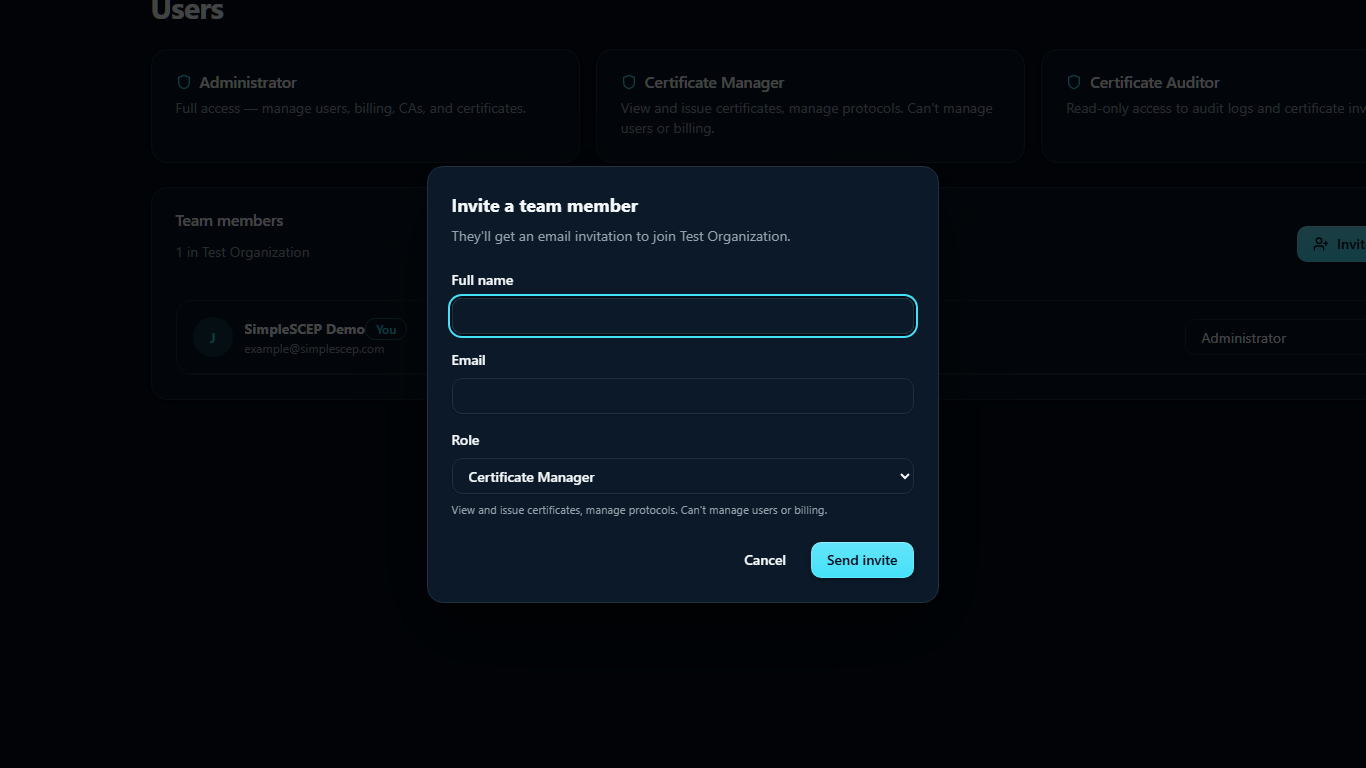
Pending invitations can be resent or revoked.
Changing someone's role takes effect on their next request.
Remove someone
Removing a user ends access immediately. Their audit entries and email address are retained.
You cannot remove yourself, and an organization must keep at least one administrator.
Step-up
Deleting an authority, rotating an issuing CA, inviting a user, changing a role, and removing a user require second-factor verification within the last five minutes. See Two-factor authentication.
Signing in
Sign-in uses an email magic link followed by a second factor. There are no account passwords.