
Protocols
Jamf Pro
Per-device SCEP challenges for Jamf Pro.
Jamf Pro can request a new SCEP challenge for each device through a webhook, using its own Dynamic challenge type. No external CA registration or signing certificate is required — SimpleSCEP answers the webhook directly.
Webhook challenges last 15 minutes. Keep One-time challenge enabled on the endpoint.
Requirements
An account with the Webhooks and Configuration Profiles privileges in Jamf Pro. The SCEPChallenge webhook event and the SCEP payload's Dynamic challenge type are both stock Jamf Pro features — no plug-in or extra licensing is needed on either side.
Configure it
-
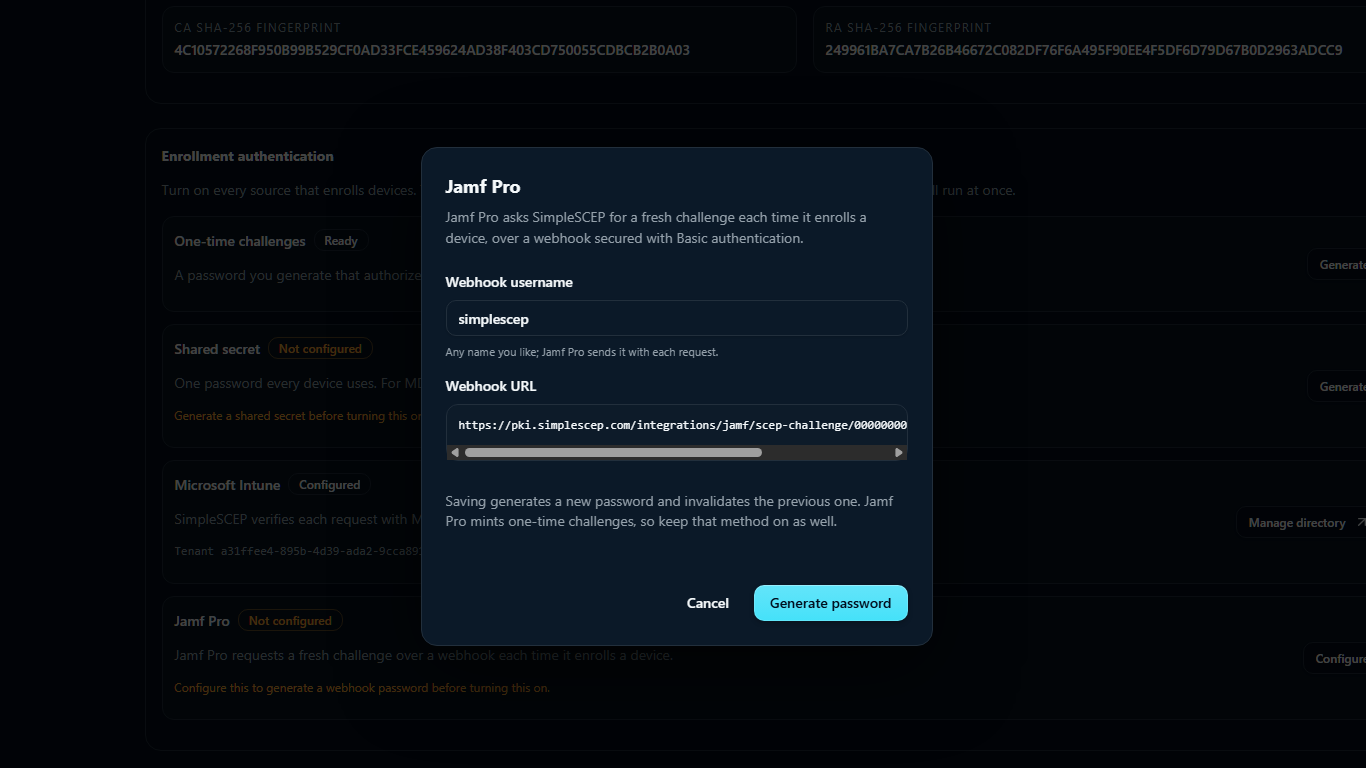
Under Enrollment authentication, select Configure for Jamf Pro. Set a webhook username, generate a password, and enable the method. The password is shown once.
-
In Jamf Pro, create a webhook for the SCEPChallenge event pointing at:
https://pki.example.com/integrations/jamf/scep-challenge/<endpoint-id> -
Set the webhook's authentication to HTTP Basic with the username and password from step 1.
-
In the device's configuration profile, set the SCEP URL to the endpoint URL and select the dynamic challenge.
Deploy the endpoint's CA chain in the same configuration profile.
SCEP certificate payload
Jamf's SCEP payload takes the endpoint URL and, for Challenge Type, Dynamic — not a static password. Key size, key usage, and subject follow the same rules as any other Apple MDM — see SCEP for MDM platforms.
Certificate validity, the renewal window, and the extended key usages come from the endpoint's issuance policy, not the payload — see SCEP.
Rotate the credential
Select Update, then Generate password to rotate the credential. Rotation immediately invalidates the old password, so update the Jamf webhook at the same time.
Only a verifier is stored. Rotate a lost password.
Revocation
Jamf Pro does not report revocations back to SimpleSCEP. Revoke certificates issued through Jamf from the Certificates page — this is immediate and updates the CRL and OCSP right away. Compare with Microsoft Intune, which syncs revocations hourly.
Turn it off
Disable the Jamf Pro method under Enrollment authentication to stop issuing webhook challenges, or delete the endpoint entirely.
Turning it off stops Jamf-authenticated enrollment. It does not revoke certificates already issued.
When the webhook stops working
In rough order of likelihood:
- The password was rotated in SimpleSCEP but not updated on the Jamf webhook.
- The webhook was deleted, disabled, or misconfigured in Jamf Pro.
- The Jamf Pro method was disabled under Enrollment authentication.
Check Recent enrollments on the endpoint for the refusal reason before assuming the webhook itself is broken.
Notes
- Webhook challenges cannot be pinned because Jamf requests them before the device CSR. Generate challenges directly when pinning is required. See SCEP challenges and secrets.
- Deleting the endpoint deletes the webhook password with it.
- The webhook is device-facing traffic and is rate limited per endpoint and source address.